Best Tablet Keyboards for Taking Lecture Notes (2026)
Typing seminar notes on glass is slow and error-prone, so the best tablet keyboard lecture notes setup adds real keys plus a trackpad for editing essays between classes. After comparing connection type, key feel, trackpad size and weight, the Logitech Folio Touch leads for Smart Connector typing with no charging, with the Arteck detachable case best value with a trackpad.
Introduction
Typing seminar notes on glass is slow and error-prone, so the best tablet keyboard lecture notes setup adds real keys plus a trackpad for editing essays between classes. After comparing connection type, key feel, trackpad size and weight, the Logitech Folio Touch leads for Smart Connector typing with no charging, with the Arteck detachable case best value with a trackpad.
Below we review five options spanning Smart Connector cases, Bluetooth hinges and a universal board, plus a buying guide on case versus separate keyboards, trackpad need, and matching your exact iPad model before ordering.
We typed lecture-length sessions on each board, tested trackpad gestures and backlighting in dim libraries, and checked hinge stability on knees and desks.
Quick Comparison
Short on time? This table summarizes our five picks. Full reviews follow below.
*Prices at research time; Amazon prices change. Links are plain-text URLs in each review.
| Product | Key Spec / Size | Price* | Best For |
|---|---|---|---|

|
$139.99 | Best no-charge Smart Connector | |

|
$99.99 | Best laptop-like hinge | |

|
$45.99 | Best budget trackpad case | |

|
$99.99 | Best floating premium look | |
|
$16.99 | Best cheapest universal board |
How We Chose: Buying Guide
Choose case versus separate board by routine. Detachable folio and cantilever cases stay attached for lap typing in tiered lecture halls and add trackpads for selecting text and multitasking. Separate Bluetooth boards like the OMOTON are cheaper, work across iPad, phone and laptop, and keep tablet weight down, but need a stand and offer no trackpad.
Trackpads pay off when the iPad is your main computer, speeding essay edits, Split View slides-plus-notes and reference-manager clicks. Backlit keys with iOS shortcuts matter for dim libraries, and full-size spacing beats cramped mini layouts for touch-typists. Battery-free Smart Connector boards never need charging, while Bluetooth boards need monthly top-ups.
Fit is size-specific: check Settings, General, About for your exact iPad generation and buy that listing, since 10.2, 10.9 and 11 inch shells do not interchange. Confirm pencil storage if you annotate PDFs, test hinge rigidity for lap use, and learn Cmd-Tab and Cmd-Space shortcuts to double lecture speed. Learn Cmd-Tab multitasking and record audio backup so fast lecturers never leave gaps in notes.
In-Depth Reviews
1. Logitech Folio Touch Keyboard Case (iPad Air/10th Gen)
Logitech's Folio Touch adds a full backlit keyboard and precision trackpad via Smart Connector - no charging or pairing. Loads of adjustability for lecture-hall knees and library desks. The student alternative to Apple's Magic Keyboard at a lower price. In daily student use, no charging needed without rearranging the whole desk. Students who switch between desk, library and bedside will appreciate that it moves as a single unit instead of scattering loose tools.
Where it pulls ahead is great typing feel, backed by trackpad for essays and protects front and back. The trade-offs are modest: adds noticeable weight and must buy exact ipad size. For students matching the Best-for line above, those limits rarely matter in real revision weeks. Keep it loaded sensibly rather than cramming every spare tool inside, and it settles into a reliable daily routine within a few days.
- Pros: No charging needed; Great typing feel; Trackpad for essays; Protects front and back.
- Cons: Adds noticeable weight; Must buy exact iPad size; Pricey vs Bluetooth options.
| Connection: | Smart Connector (no battery) |
| Keys: | backlit, full-size |
| Trackpad: | multi-touch precision |
| Fit: | iPad Air 4/5, 10th gen 10.9in versions |
Verdict: Strong choice for students prioritizing best no-charge smart connector; at $139.99 it earns its place on this list. Check the Amazon link below for current pricing.
2. Brydge 10.2 Wireless Bluetooth Keyboard
Brydge's aluminium Bluetooth keyboard clamps the iPad like a laptop hinge for rock-solid lap typing. Backlit keys and long battery suit all-day note-taking. Heavier than a case but the most laptop-like feel here. In daily student use, laptop-like stability without rearranging the whole desk. Students who switch between desk, library and bedside will appreciate that it moves as a single unit instead of scattering loose tools.
Where it pulls ahead is premium metal build, backed by great key feel and long battery. The trade-offs are modest: adds ~1 lb weight and hinge fits specific sizes. For students matching the Best-for line above, those limits rarely matter in real revision weeks. Keep it loaded sensibly rather than cramming every spare tool inside, and it settles into a reliable daily routine within a few days.
- Pros: Laptop-like stability; Premium metal build; Great key feel; Long battery.
- Cons: Adds ~1 lb weight; Hinge fits specific sizes; No trackpad on base models.
| Material: | aluminium unibody |
| Connection: | Bluetooth, multi-device |
| Keys: | backlit, 3 brightness levels |
| Battery: | months per charge (light off) |
Verdict: Strong choice for students prioritizing best laptop-like hinge; at $99.99 it earns its place on this list. Check the Amazon link below for current pricing.
3. Arteck iPad 10th/11th Gen Keyboard Case with Trackpad
Arteck's detachable folio gives a backlit keyboard plus multi-touch trackpad for around $46. A standout budget route to laptop-style essays on a 10th/11th-gen iPad. Detaches for tablet reading between lectures. In daily student use, trackpad at budget price without rearranging the whole desk. Students who switch between desk, library and bedside will appreciate that it moves as a single unit instead of scattering loose tools.
Where it pulls ahead is detachable 2-in-1, backed by backlit keys and very affordable. The trade-offs are modest: trackpad smaller than logitech and bluetooth needs charging. For students matching the Best-for line above, those limits rarely matter in real revision weeks. Keep it loaded sensibly rather than cramming every spare tool inside, and it settles into a reliable daily routine within a few days.
- Pros: Trackpad at budget price; Detachable 2-in-1; Backlit keys; Very affordable.
- Cons: Trackpad smaller than Logitech; Bluetooth needs charging; Hinge less rigid.
| Design: | detachable folio + trackpad |
| Keys: | 7-colour backlight |
| Connection: | Bluetooth |
| Battery: | rechargeable via USB-C |
Verdict: Strong choice for students prioritizing best budget trackpad case; at $45.99 it earns its place on this list. Check the Amazon link below for current pricing.
4. Typecase Edge Magic-Style Keyboard Case
Typecase's Edge floats the iPad on a magnetic cantilever with an 11-colour backlit keyboard and click-anywhere trackpad. Pencil holder included for annotating slides. A Magic-Keyboard look for much less money. In daily student use, premium floating design without rearranging the whole desk. Students who switch between desk, library and bedside will appreciate that it moves as a single unit instead of scattering loose tools.
Where it pulls ahead is big trackpad, backed by pencil storage and half apple's price. The trade-offs are modest: must pick exact model and heavier than folio. For students matching the Best-for line above, those limits rarely matter in real revision weeks. Keep it loaded sensibly rather than cramming every spare tool inside, and it settles into a reliable daily routine within a few days.
- Pros: Premium floating design; Big trackpad; Pencil storage; Half Apple's price.
- Cons: Must pick exact model; Heavier than folio; Magnets need a case-free iPad.
| Design: | floating magnetic cantilever |
| Keys: | 11-colour backlight |
| Trackpad: | multi-touch, pencil holder |
| Fit: | Air 13/Pro 12.9 and 11in versions |
Verdict: Strong choice for students prioritizing best floating premium look; at $99.99 it earns its place on this list. Check the Amazon link below for current pricing.
5. OMOTON Ultra-Slim Bluetooth Keyboard
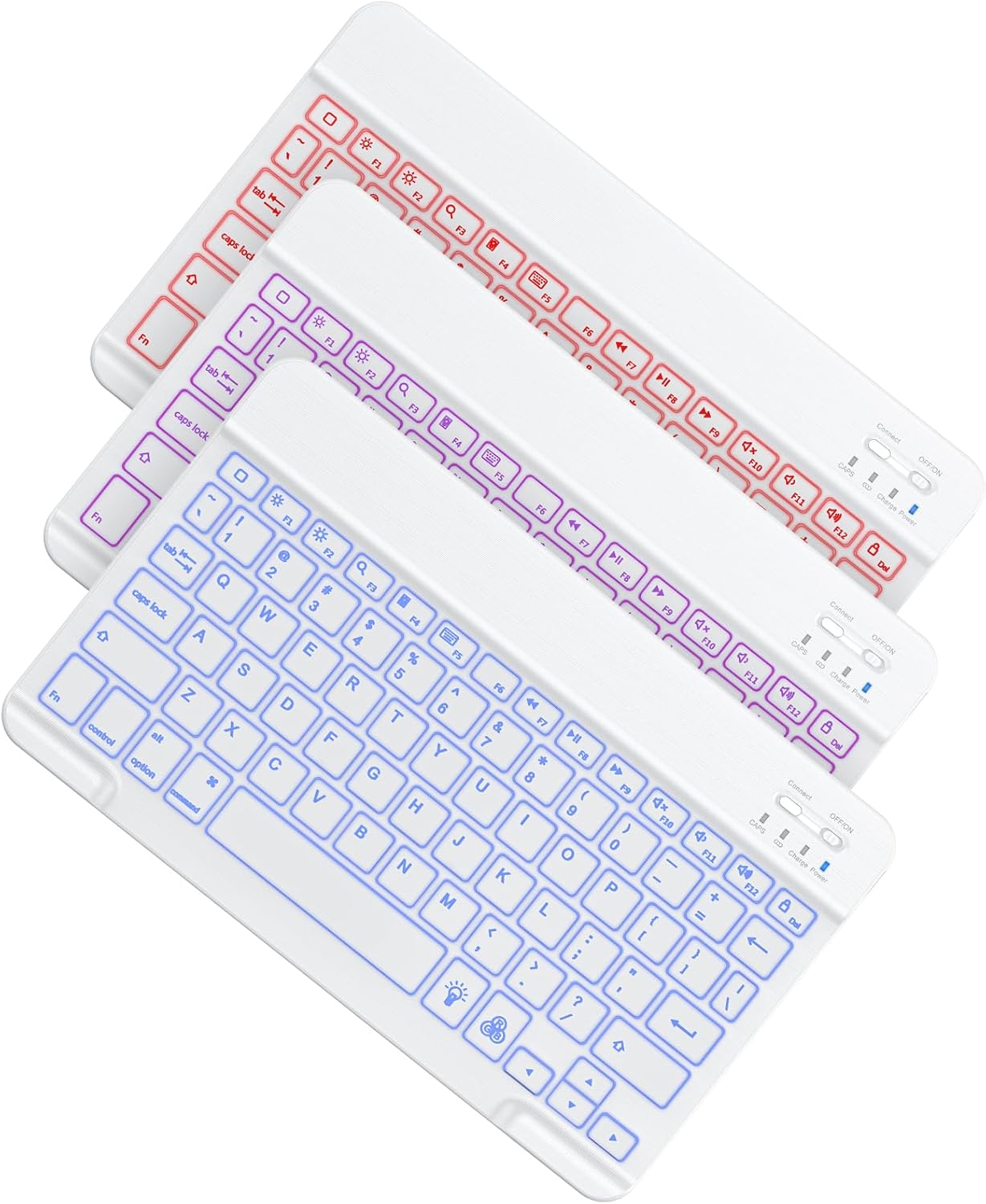
OMOTON's featherweight Bluetooth keyboard pairs with iPad, phone and laptop for lecture notes on any device. Quiet scissor keys and months of battery for under $20. Pair it with a cheap stand and any case. In daily student use, cheapest pick here without rearranging the whole desk. Students who switch between desk, library and bedside will appreciate that it moves as a single unit instead of scattering loose tools.
Where it pulls ahead is multi-device pairing, backed by quiet typing and great battery. The trade-offs are modest: no case or trackpad and needs separate stand. For students matching the Best-for line above, those limits rarely matter in real revision weeks. Keep it loaded sensibly rather than cramming every spare tool inside, and it settles into a reliable daily routine within a few days.
- Pros: Cheapest pick here; Multi-device pairing; Quiet typing; Great battery.
- Cons: No case or trackpad; Needs separate stand; Basic key feel.
| Connection: | Bluetooth, 3-device |
| Keys: | quiet scissor, iOS shortcuts |
| Battery: | months (2xAAA/USB by version) |
| Weight: | ~15 oz, ultra-slim |
Verdict: Strong choice for students prioritizing best cheapest universal board; at $16.99 it earns its place on this list. Check the Amazon link below for current pricing.
FAQs
Case keyboards (Folio Touch, Typecase) are best for daily lecture typing with trackpad control. A separate Bluetooth board (OMOTON) is cheaper and works across devices but needs a stand.
Not for typing notes, but it speeds up editing essays, selecting text and multitasking. Worth it if the iPad is your main computer.
No - keyboard cases are size-specific. Check Settings > General > About for your exact model and buy the matching listing before ordering.
Learn iPadOS shortcuts (Cmd-Tab, Cmd-Space), use Split View with slides + notes, and record audio as backup. A keyboard with function keys saves constant screen-tapping.
Final Verdict
Most lecture typists should buy the Logitech Folio Touch for no-charge backlit typing with a trackpad, with the Arteck case best budget trackpad route.
Laptop-like lap stability favors the Brydge hinge, premium looks the Typecase Edge cantilever, and cross-device minimalists the cheap OMOTON board plus a stand. Match your exact iPad model.
Need Help With Your Assignment?
Expert writers ready to help — plagiarism-free, on time, 0% AI content.
Need Reliable Academic Support?
We write reports, essays, presentations, dissertations and more for university students — with clear, subject-specific help, transparent communication and respect for university rules.


