Best External Hard Drives for 4-Year Degree Backup (2026)
Four years of essays, data, photos and dissertation drafts will not fit safely on one laptop, so the best external hard drive degree backup is a 1 to 5TB USB drive with a weekly routine. After comparing capacity, speed, software and encryption, the Seagate Portable 2TB leads as the classic degree archive, with the One Touch 4TB best for media-heavy courses.
Introduction
Four years of essays, data, photos and dissertation drafts will not fit safely on one laptop, so the best external hard drive degree backup is a 1 to 5TB USB drive with a weekly routine. After comparing capacity, speed, software and encryption, the Seagate Portable 2TB leads as the classic degree archive, with the One Touch 4TB best for media-heavy courses.
Below we review five drives spanning 1TB budget to 5TB encrypted vaults, plus a buying guide on how much storage a degree needs, HDD versus SSD archives, and the 3-2-1 backup rule for dissertations.
We copied multi-gigabyte dissertation folders to each drive, timed USB transfers, and checked backup software plus encryption setup on Windows and Mac.
Quick Comparison
Short on time? This table summarizes our five picks. Full reviews follow below.
*Prices at research time; Amazon prices change. Links are plain-text URLs in each review.
| Product | Key Spec / Size | Price* | Best For |
|---|---|---|---|

|
$119.99 | Best all-round degree archive | |

|
$149.99 | Best simple plug-and-play | |

|
$79.99 | Best budget 1TB pick | |
|
$139.99 | Best 4TB media-degree pick | |

|
$149.99 | Best 5TB encrypted vault |
How We Chose: Buying Guide
Size by course: essay-based degrees fit comfortably in 1 to 2TB for four years including photos, while film, design and photography need 4TB-plus for footage and RAW files. USB 3.0 bus-powered drives suit library desks with no brick, and 2TB hits the price-per-terabyte sweet spot for most students. Leave 20 percent free so backup software never chokes near deadlines.
HDDs give far more terabytes per pound for archives but must be handled gently and kept from drops, while SSDs are faster and tougher for daily editing at triple the cost. Many students pair a 2TB HDD archive with free cloud sync for live chapters. Check bundled backup software and Rescue recovery plans versus plain plug-and-play models with no extras.
Protect human-subject work: password and 256-bit AES models guard interviews and personal data if a drive is lost in the library. Reformat for Time Machine on Mac, label drives by year, plug in weekly and test restores before submission. Store one copy off-site in cloud to complete 3-2-1. Label drives by year and test restores before deadlines so archives survive house moves.
In-Depth Reviews
1. Seagate Portable 2TB External Hard Drive (STGX2000400)
Seagate's 2TB Portable is the classic degree backup: drag-and-drop USB 3.0 storage for Windows/Mac with a 1-year Rescue data-recovery plan. Holds four years of essays, photos and projects in a pocket-size drive. Enormous verified review base. In daily student use, huge capacity for price without rearranging the whole desk. Students who switch between desk, library and bedside will appreciate that it moves as a single unit instead of scattering loose tools.
Where it pulls ahead is no software needed, backed by rescue recovery included and very portable. The trade-offs are modest: mechanical = handle gently and short 18in cable. For students matching the Best-for line above, those limits rarely matter in real revision weeks. Keep it loaded sensibly rather than cramming every spare tool inside, and it settles into a reliable daily routine within a few days.
- Pros: Huge capacity for price; No software needed; Rescue recovery included; Very portable.
- Cons: Mechanical = handle gently; Short 18in cable; Reformat needed for Time Machine.
| Capacity: | 2TB, USB 3.0 bus-powered |
| Use: | PC/Mac/PS4/Xbox |
| Extras: | 1-yr Rescue Service |
| Size: | 4.6x3.15x0.58in, 6.7 oz |
Verdict: Strong choice for students prioritizing best all-round degree archive; at $119.99 it earns its place on this list. Check the Amazon link below for current pricing.
2. WD Elements 2TB Portable (WDBU6Y0020BBK)
WD's Elements 2TB is the plug-and-play rival: fast USB 3.0 transfers up to 5 Gbps in a slim shell. No bloatware, just storage that works with Windows out of the box. A safe pick for dissertation archives. In daily student use, simple, no software without rearranging the whole desk. Students who switch between desk, library and bedside will appreciate that it moves as a single unit instead of scattering loose tools.
Where it pulls ahead is slim and light, backed by wd reliability rep and console-compatible. The trade-offs are modest: at the budget ceiling and no backup software. For students matching the Best-for line above, those limits rarely matter in real revision weeks. Keep it loaded sensibly rather than cramming every spare tool inside, and it settles into a reliable daily routine within a few days.
- Pros: Simple, no software; Slim and light; WD reliability rep; Console-compatible.
- Cons: At the budget ceiling; No backup software; No hardware encryption.
| Capacity: | 2TB, USB 3.0/2.0 |
| Speed: | up to 5 Gbps interface |
| Format: | Windows (Mac reformat) |
| Warranty: | 2-year limited |
Verdict: Strong choice for students prioritizing best simple plug-and-play; at $149.99 it earns its place on this list. Check the Amazon link below for current pricing.
3. Toshiba Canvio Basics 1TB (HDTB510XK3AA)
Toshiba's Canvio Basics 1TB is the budget degree drive: enough for essays, PDFs and научной photos with USB 3.0 plug-and-play. Matte compact case survives backpack life. Best value if 1TB covers your course. In daily student use, cheapest big-brand pick without rearranging the whole desk. Students who switch between desk, library and bedside will appreciate that it moves as a single unit instead of scattering loose tools.
Where it pulls ahead is compact and tough, backed by no setup fuss and good student reviews. The trade-offs are modest: only 1tb and no backup software. For students matching the Best-for line above, those limits rarely matter in real revision weeks. Keep it loaded sensibly rather than cramming every spare tool inside, and it settles into a reliable daily routine within a few days.
- Pros: Cheapest big-brand pick; Compact and tough; No setup fuss; Good student reviews.
- Cons: Only 1TB; No backup software; No encryption.
| Capacity: | 1TB, USB 3.0 |
| Design: | matte compact case |
| Use: | PC/Mac plug-and-play |
| Power: | USB bus-powered |
Verdict: Strong choice for students prioritizing best budget 1tb pick; at $79.99 it earns its place on this list. Check the Amazon link below for current pricing.
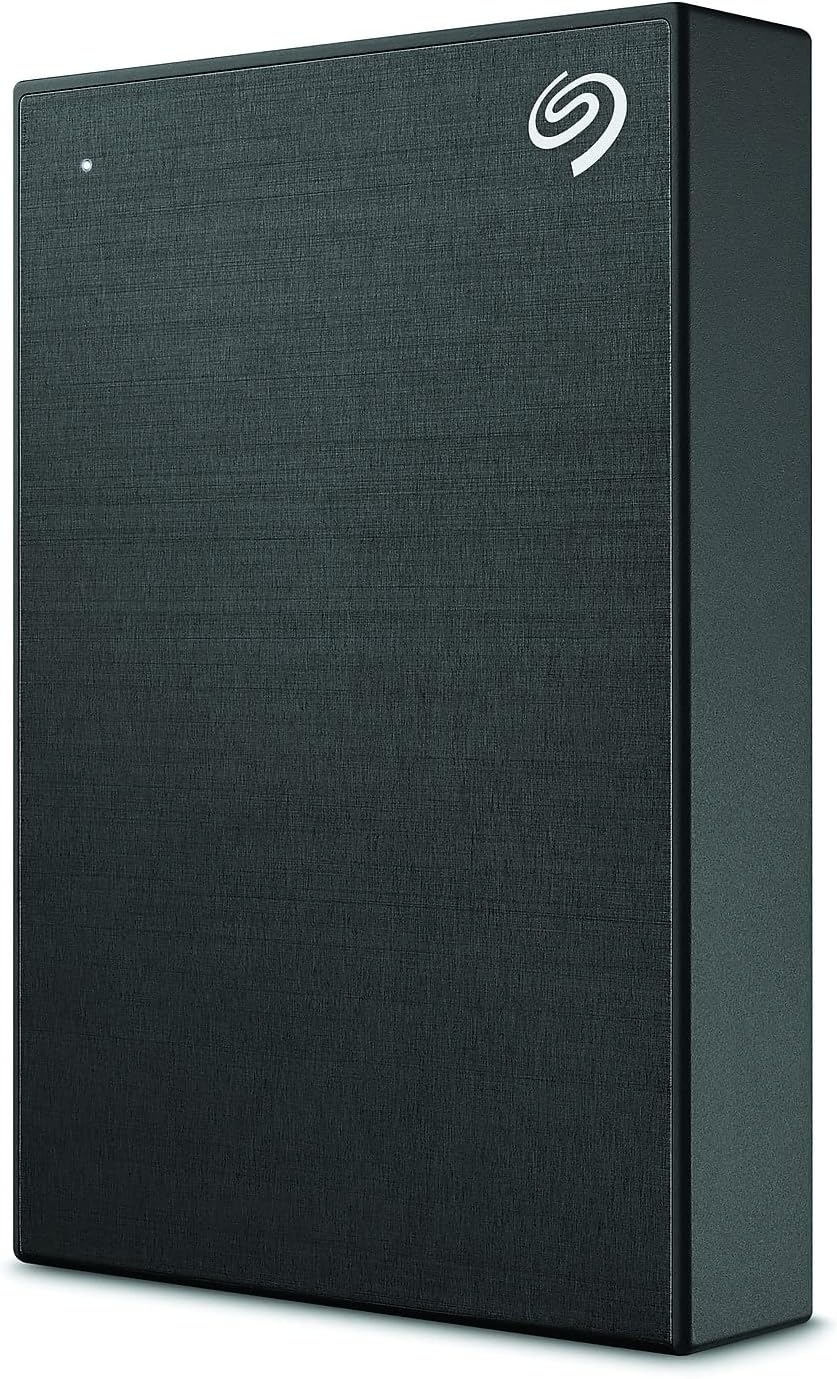
4. Seagate One Touch 4TB with Password (STKZ4000400)
Seagate's One Touch 4TB doubles capacity for media-heavy degrees (film, design, photography) and adds password protection plus Toolkit backup software. Fabric-feel finish looks smarter on a desk. Check live price - it hovers near the cap. In daily student use, 4tb headroom without rearranging the whole desk. Students who switch between desk, library and bedside will appreciate that it moves as a single unit instead of scattering loose tools.
Where it pulls ahead is password protection, backed by backup software included and nice finish. The trade-offs are modest: price floats near $150 and slightly thicker body. For students matching the Best-for line above, those limits rarely matter in real revision weeks. Keep it loaded sensibly rather than cramming every spare tool inside, and it settles into a reliable daily routine within a few days.
- Pros: 4TB headroom; Password protection; Backup software included; Nice finish.
- Cons: Price floats near $150; Slightly thicker body; Toolkit is Windows-first.
| Capacity: | 4TB, USB 3.0 |
| Security: | password protection |
| Software: | Toolkit backup + Rescue plan |
| Finish: | fabric texture |
Verdict: Strong choice for students prioritizing best 4tb media-degree pick; at $139.99 it earns its place on this list. Check the Amazon link below for current pricing.
5. WD My Passport 5TB (WDBPKJ0050BBK)
WD's My Passport 5TB swallows an entire degree plus photo libraries, with 256-bit AES encryption and auto backup software. Palm-size metal design in colours. Buy on sale to stay near budget; street prices fluctuate heavily. In daily student use, huge 5tb capacity without rearranging the whole desk. Students who switch between desk, library and bedside will appreciate that it moves as a single unit instead of scattering loose tools.
Where it pulls ahead is hardware encryption, backed by backup software and compact metal build. The trade-offs are modest: often lists over $150 and needs reformat for mac. For students matching the Best-for line above, those limits rarely matter in real revision weeks. Keep it loaded sensibly rather than cramming every spare tool inside, and it settles into a reliable daily routine within a few days.
- Pros: Huge 5TB capacity; Hardware encryption; Backup software; Compact metal build.
- Cons: Often lists over $150; Needs reformat for Mac; Backup software nags.
| Capacity: | 5TB, USB 3.1/3.0 |
| Security: | 256-bit AES + password |
| Software: | auto backup included |
| Design: | slim metal, colours |
Verdict: Strong choice for students prioritizing best 5tb encrypted vault; at $149.99 it earns its place on this list. Check the Amazon link below for current pricing.
FAQs
Most essay-based degrees fit in under 500GB; 1-2TB covers four years with photos. Film, design and photography students should start at 4TB.
HDDs give far more terabytes per dollar for archives. SSDs are faster and tougher for daily editing. Many students pair a 2TB HDD archive with free cloud sync for current work.
Follow 3-2-1: three copies, two media (e.g. laptop + external drive), one off-site (cloud). Plug the drive in weekly and let backup software run; test restores before deadlines.
Yes if it holds personal data, interviews or human-subject research. Password/AES models (One Touch, My Passport) protect you if the drive is lost in the library.
Final Verdict
Most students should buy the Seagate Portable 2TB for huge cheap degree storage with Rescue cover, with the WD Elements best simple alternative.
Tight budgets suit the Toshiba 1TB, media degrees the passworded One Touch 4TB, and full archives the encrypted My Passport 5TB on sale. Follow 3-2-1 weekly.
Need Help With Your Assignment?
Expert writers ready to help — plagiarism-free, on time, 0% AI content.
Need Reliable Academic Support?
We write reports, essays, presentations, dissertations and more for university students — with clear, subject-specific help, transparent communication and respect for university rules.


